Design Workflow Blog

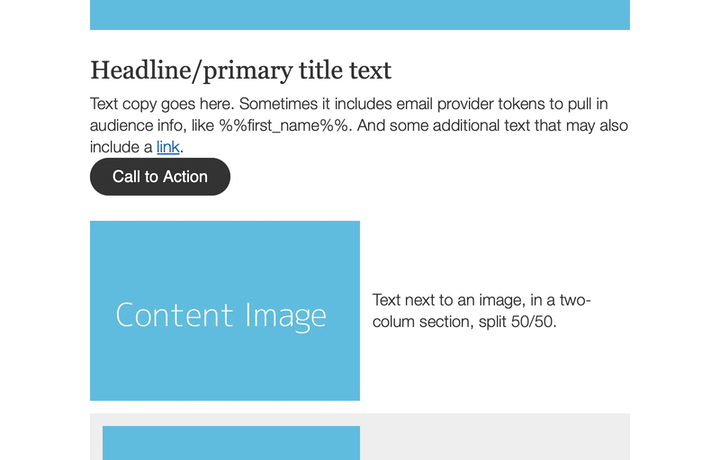
An email template shown with various spacing examples.

Template technique: handling spacing

Maintaining consistent spacing in an email layout.

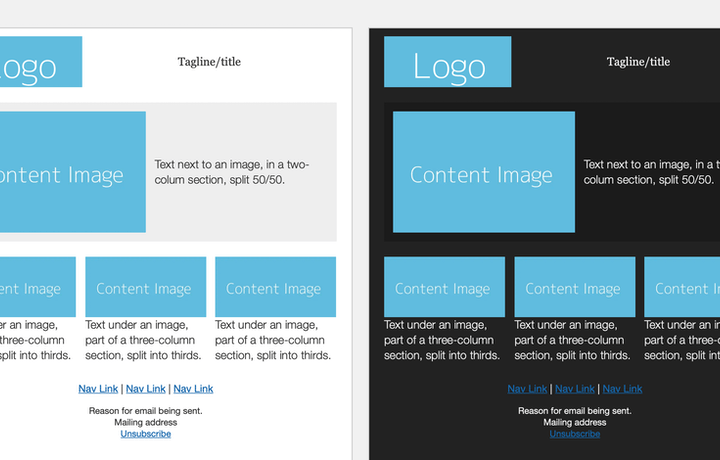
An email template shown, and its dark mode version.

Template technique: levels of email dark mode

How to prepare your template for email clients and their dark mode affects.
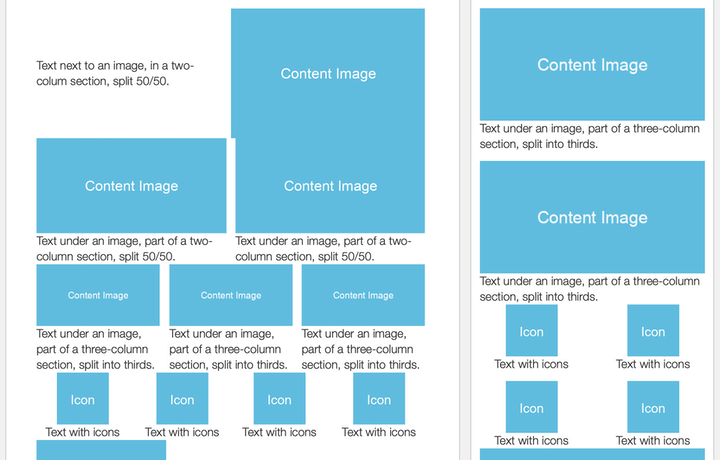
An email template shown for desktop and for mobile.

Template technique: automatic mobile layout

Simple code for globally adjusting any column in an email template for mobile.

Outlook logo on top of a broken window.

Letting go of Outlook for Windows

No more tables no more VML no more Outlooks dirty code

Five screenshots from the Blocks Edit visual editor: left top, an example of a notice for an image that doesn't have an alt tag; left middle, a notice for a URL that was evaluated as being broken; left bottom, a modal with tracking parameters for a link; right top, a comment being posted, right bottom, a checklist of reminders.

How-to: quality control

Checks and balances we put in Blocks Edit to help your emails achieve their greatest potential
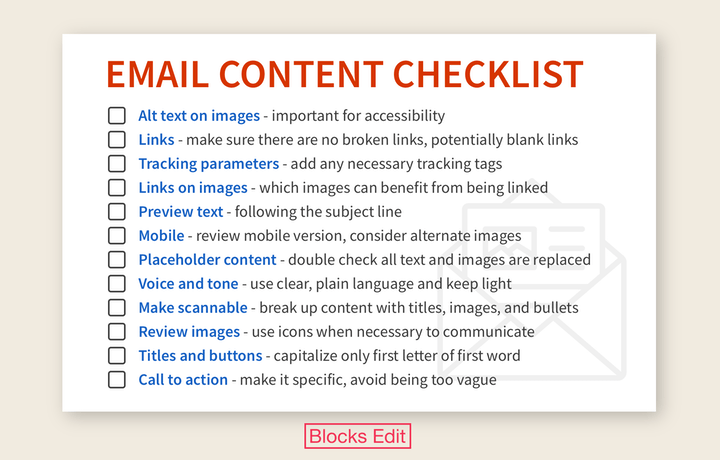
A list of 12 reminders to help with reviewing email content: Alt text on images, links, tracking parameters, links on images, preview text, mobile, placeholder content, voice and tone, make scannable, review images, titles and buttons, call to action.

Why you should have an email content checklist

And 12 essential items you should include on your checklist.

Screenshot of the Blocks Edit visual editor with a sidebar of checklist items.

Blocks Edit update: email checklist

Reminders for content that should be reviewed for your emails.
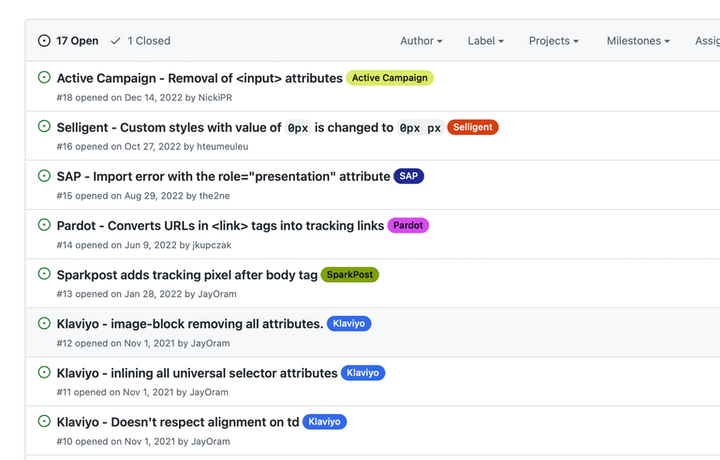
Listing of reported email code issues from various email providers.

How code is handled by email providers

Ways that email providers mess with your code and what to do about it.

An example email design and its text only version.

Designing for a branded email's text only version

How to account for your email designs text-only output.

Screenshot of the Blocks Edit visual editor with a comments sidebar.

Blocks Edit update: comments and notifications for reviewing emails

You can now review emails with your team by adding comments that appear in a panel on the right.

An example email layout and what it looks like with columns getting wrapped to a single column.

No more tables for email

An approach to eliminating the need for using tables for design structure.
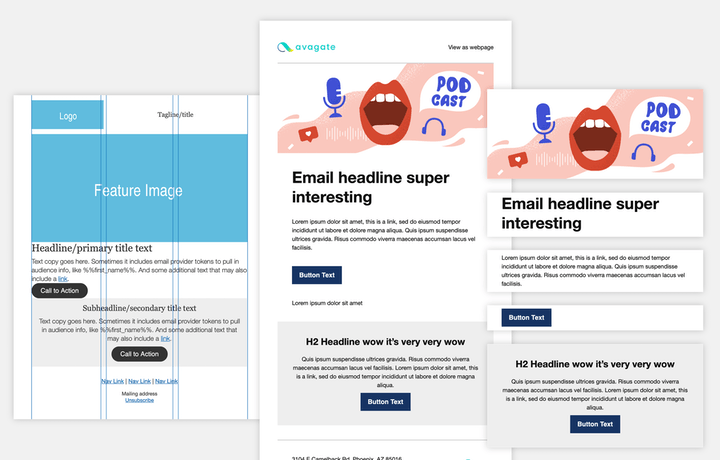
An email design going from structural wireframes, to including branded elements, to layout modules being used.

Modular design technique: the 3 phases of template design

The design phases towards turning your email design into a design system structure branding modules.
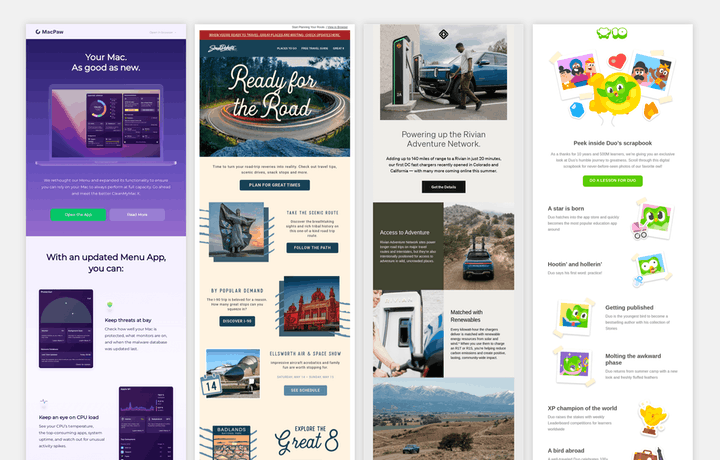
Examples of emails with various designs, but with content laid out in a similar way.

Modular design technique: using standard layouts

What do these emails have in common They all use the same essential layout each with completely different branded designs.

Various social icons, with a title of 'Share this email'.

Making your emails shareable

Adding share links and utilizing meta info.

Iterable + Blocks Edit

Blocks Edit update: Iterable integration

Use Blocks Edit with your Iterable cross-channel marketing platform.

Previous | 1 | 2 | 3 | 4 | 5 | 6 | 7 | 8 | 9 | 10 | Next