
Enable visual editing to create fully custom websites, blogs, landing pages, marketing emails, digital forms, docs, and more. Allow for team collaboration that follows marketing and technical guidelines, with workflows for improved quality and performance.
Make any HTML design editable in minutes
Teams that have streamlined their content production:




"With Blocks Edit, we can import our own HTML templates and turn them into drag-and-drop templates that are always on brand. We can also limit the ability to change copy and styling options, so that anyone can use the tool and expect an on-brand result."
— Ralph van den Broeck, Marketing Automation Manager, Fisher & Paykel Appliances
Point and click inline editing around HTML tags, compatible with any design, for any purpose.
The key aspects that make up an intuitive content editing workflow.
A point and click, drag and drop interface with no formal training required. So anyone can be invited to jump in, review, comment, and make necessary changes to content.
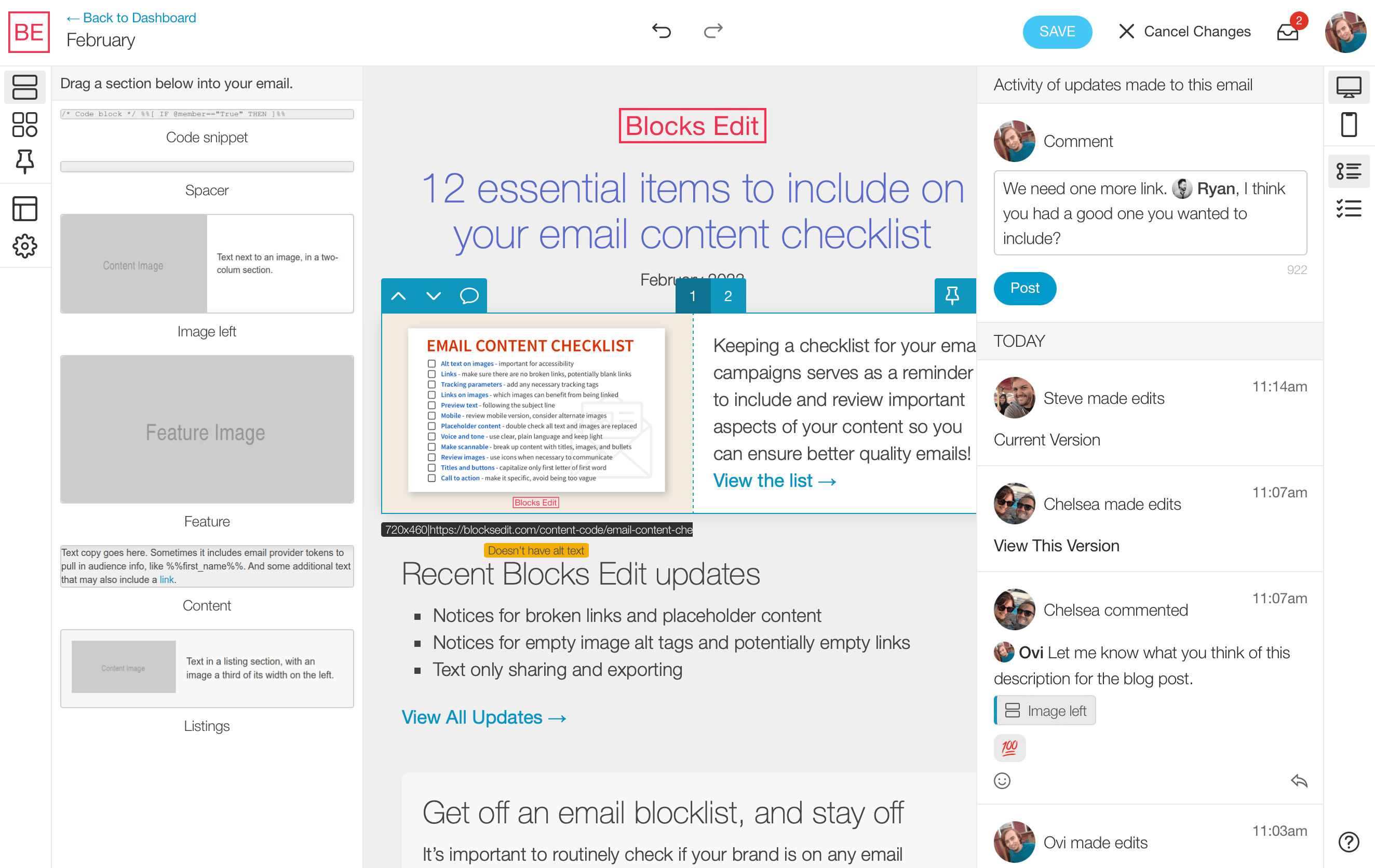
Save pieces of content in a library for your team to browse and use again.
For editors who build and edit content, or shared via a preview link for anyone to review.
Checklist to review content, flagging of missing or broken links, automated image formatting.
Keep track of who makes updates and when, and view and revert to a previous iteration.
Integrate with your tools, automate asset exporting, follow accessibility best practices.
Simple roles, with admin, building, editing, proofing, and review modes.
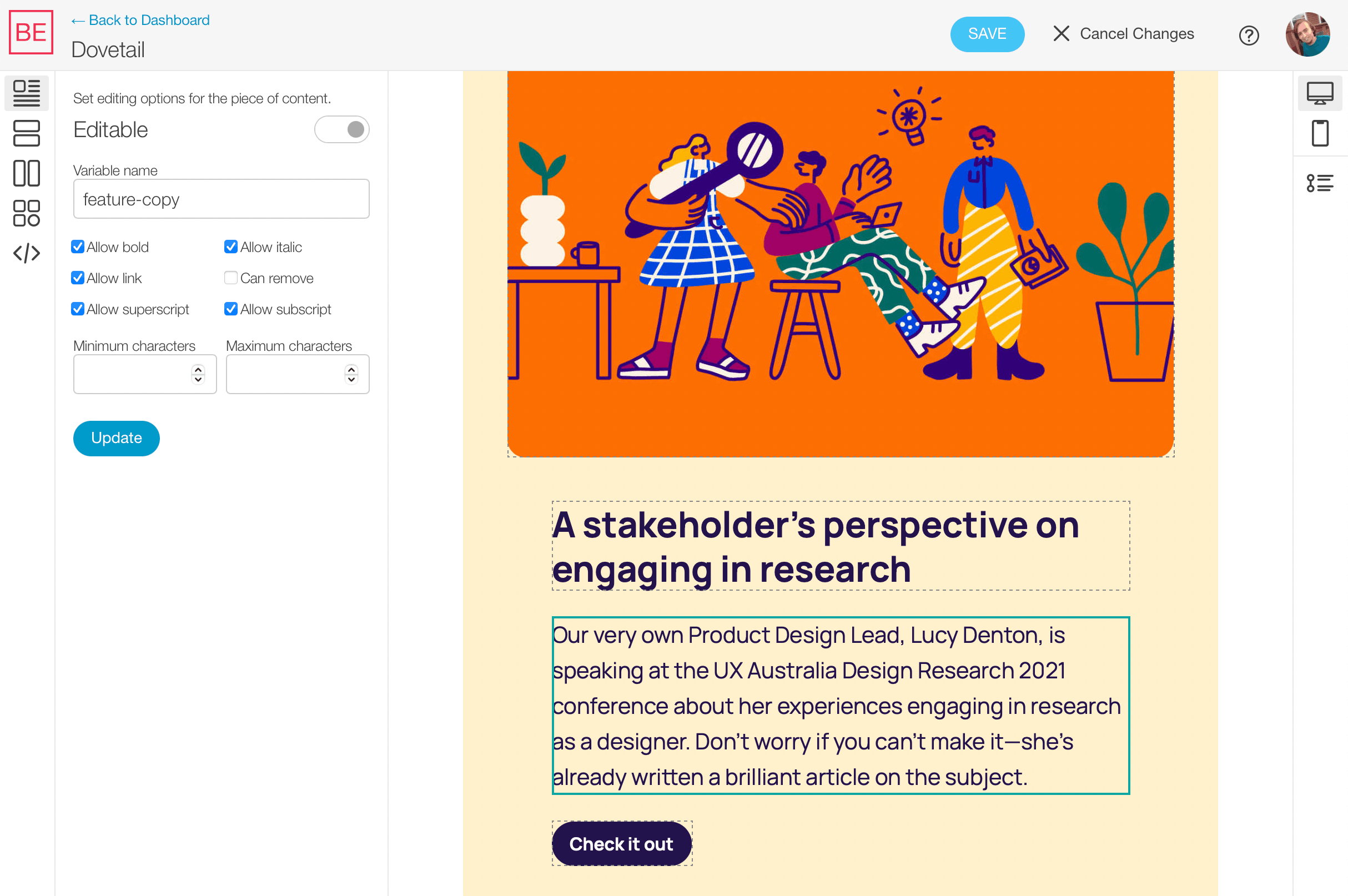
Blocks Edit instantly turns your HTML design's content into point and click editing on import. Adjust editing options by clicking on content pieces in the novel visual theme editor. It's completely customizable around your design layout and components. With guardrails in place to keep your design and code intact and consistent when content is edited.
Utilizing modular design practices that work with any HTML design.
Quickly build out content at scale while maintaining a consistent level of design quality.
Only classes and attributes are needed for your HTML code for editable features.
"This month I've had jobs using SFMC, MailChimp, Klaviyo, but honestly the best to use as a developer is Blocks Edit hands down."
— Sarah, Developer, Enchant Agency
Drag and drop components, decoupled design from content, static output, and standard protocols. Without the complicated hosting, tooling, and code requirements.
Layout building and point and click editing, no plugins needed.
Standardize patterns for consistency, scalability, and collaboration.
Content is updated as data while design code remains untouched.
No backend code, no framework bloat, just your HTML/CSS/Javascript.
Connect to any hosting, CDN service, and data sources.
Easy to maintain to avoid rigid design and code debt over time.
Blocks Edit follows standard web and email protocols and workflows and is platform-agnostic, so you can connect to various platforms and publish to any hosting option or email provider.
Global HTML standard that plugs into any platform.
Connect to any host via FTP, or any CDN, or both.

SSO standard that works for any organization.

"Blocks Edit allows me to collaborate on campaigns with my team quickly and efficiently which is extremely helpful in the fast pace of today’s online atmosphere."
— Danielle Taylor, eCommerce Manager at AAA Northway
Import your HTML design and make it visually editable in minutes.


