Support
Still have questions? Message us.

When a new page or email is created using the Start from Layout option on the dashboard, each page or email is automatically part of a collection associated with that layout.
You can output listings of a collection of pages on any page. Outputting a listing requires using an area that is a repeatable region. When the section or component with a repeatable region is added to the page, it will include a field mapping option.
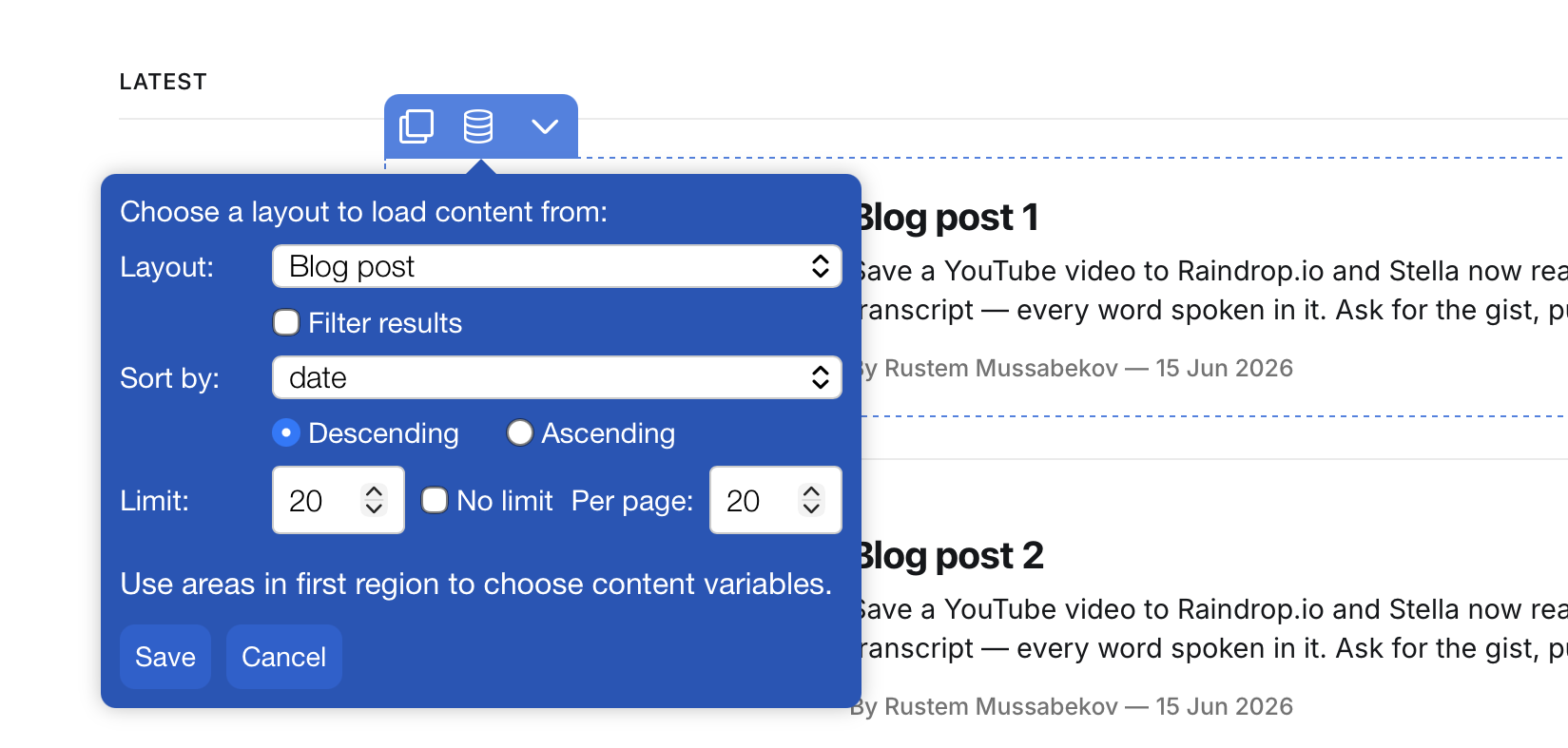
Click the Save button to set your content output options. You'll then need to map the content fields (text and images) to the content in your region.
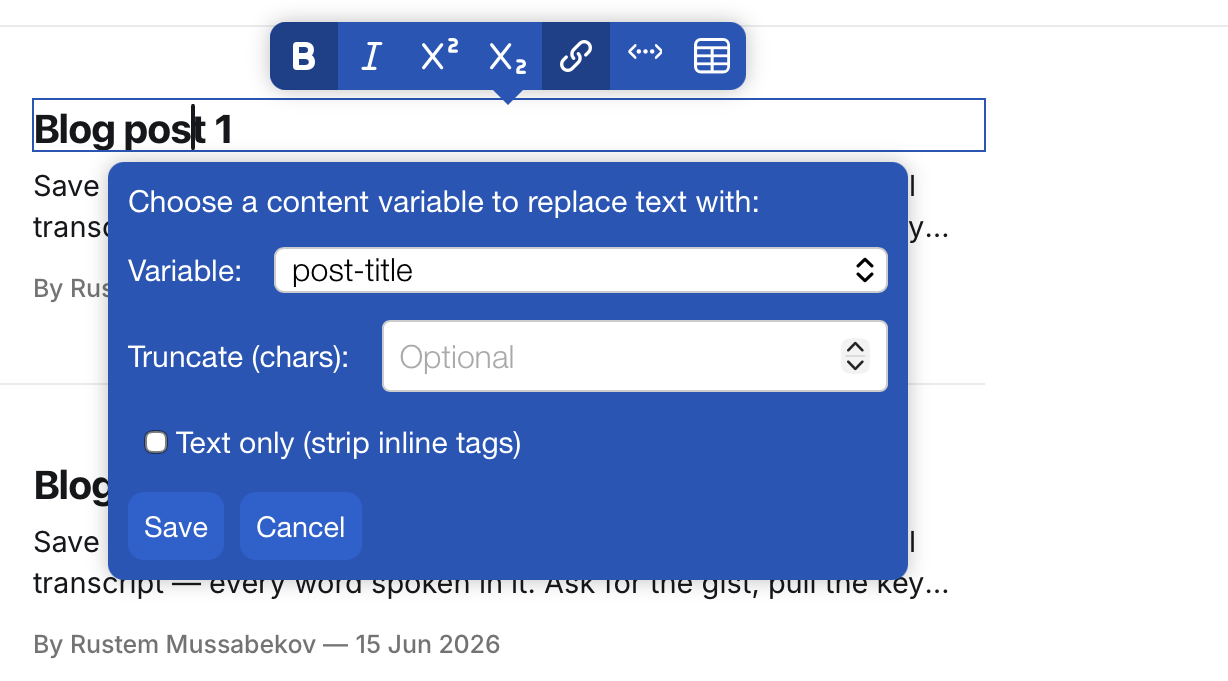
After setting the options for your content data, you'll need to associate the text and images in the region with the content data fields that you want to pull in.
If you want to output your listings among multiple pages, you can add pagination links for them. To do this, you'll first have to have listings being shown, and with a set number of pages. Then, add a repeatable region for your page numbers. You will see a pagination option to select.
If you want to add additional content data that is not part of a layout, you can add custom fields to the layout, via the layout settings in the theme editor.
Still have questions? Message us.